


FlyTrack - Flight Tracker
4.73.00 Reviews
App Specs
- Version
- 1.2.0
- Updated On
- License
- Free
- Downloads
- 100,000+
- Developer
- Mor Tosbaa Mobile
- Categories
- Travel & Local
- Platform
- Android
Screenshots

 Analysis by AppCompare
When I want a quick view of a journey rather than a full travel-planning workspace, FlyTrack makes a sensible first stop. It is a free travel and local app from Mor Tosbaa Mobile that focuses on live flight tracking, airport status, and route details across the world. That narrow purpose is important: I found it easier to judge as a flight companion than as an all-in-one travel organizer.
My recommendation depends on what you need from a tracker. If your priority is checking whether a flight is moving, understanding its route, or getting a fast airport overview, FlyTrack has a clear appeal. If you need booking management, loyalty accounts, baggage tools, or a complete itinerary in one place, a dedicated airline app or broader travel service may fit better. The useful question is not whether it replaces every travel app, but whether its focused approach matches the moment you are in.
How I Decide Whether a Flight Tracker Is Worth Keeping
I usually judge this kind of app by four practical tests. First, can I find the flight or route without unnecessary effort? Second, does the information help me make a decision, such as when to leave for the airport or whether to keep checking for a change? Third, is the airport view useful enough to open before a journey? Finally, does the app remain worthwhile when I am not actively travelling?
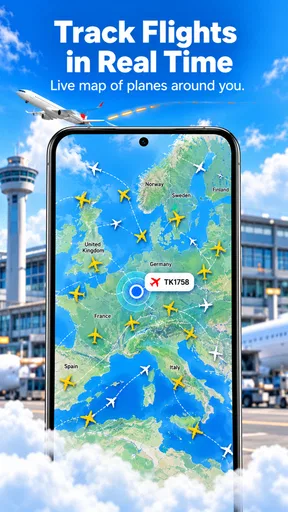
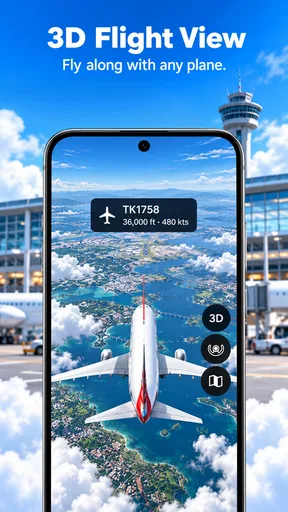
FlyTrack’s strongest case is its directness. The store summary points to three connected jobs: following live flights, checking airport status, and viewing routes globally. Those jobs cover the anxious parts of a normal journey. I may be waiting for someone, watching an incoming aircraft before heading out, or trying to understand a connection between unfamiliar airports. A focused screen can be more useful in those moments than a large travel platform filled with booking and account features.
I also pay attention to how much commitment an app demands. FlyTrack is free to install, and its content rating is Everyone, so it is approachable for a household where different people may need to check the same trip. The developer is Mor Tosbaa Mobile, and the app has reached over one hundred thousand installs with a 4.6 average from more than two hundred ratings. That gives me reasonable confidence that it has found an audience, while the relatively small review count reminds me not to treat the score as a complete verdict from every type of traveller.
The current version is 1.2.0 and it runs on Android 7.0 or later. That broad compatibility is helpful if you are checking a flight from an older spare phone or sharing the app with a family member who does not upgrade devices often. I would still test it before a major trip rather than installing it for the first time while standing in a crowded terminal. A tracker is most useful when I already know where its main search and route views are.
The everyday situation where FlyTrack makes sense
Imagine that a friend is flying in and I need to decide when to leave home. I can use the route view to orient myself, check the flight’s current progress, and look at the airport status before committing to the drive. That workflow is more practical than repeatedly opening a general search engine and sorting through unrelated results. It also helps when the traveller is not with me, because I can follow the journey independently instead of asking for a stream of messages.
Worth Reading Before You Choose

EA SPORTS FC Mobile 26 Is a Bigger Football Game, but It Takes Time

Flipboard Shows What News Apps Must Do Beyond the Feed

Switching to Android Auto Means Rethinking Your Driving Routine

Google Calendar Makes a Crowded Week Easier to Manage

Ludo King Makes the Most of the Minutes Between Plans

Baby Panda World Brings Quick Play to Modern Phones, but Its Game Library Feels Busy
Another useful situation is meeting someone at an airport. Rather than leaving based only on the scheduled arrival, I would check the live position and then look at the airport information before setting off. This does not eliminate every uncertainty around taxiing, baggage, or the time needed to walk through the terminal, but it can prevent the obvious mistake of treating the timetable as the whole story.
For route research, I found the global angle more valuable than it may first sound. A route view is not only for today’s flight. It can help me compare possible journeys, understand whether an airport is a sensible connection point, or explain a trip to someone who is unfamiliar with the geography. That makes the app relevant before departure as well as during the flight.
Where its focused design is the real advantage
FlyTrack wins when I want a clean separation between monitoring and booking. Airline apps often prioritise the carrier’s own flights, reservations, check-in flow, and account area. Those tools are essential for passengers who are already committed to one airline, but they can be inconvenient when I am watching a flight operated by someone else, helping another traveller, or comparing routes across carriers.
A broad travel app may offer hotels, cars, price searches, and saved trips. That wider coverage is useful, but it can also make a simple question feel buried: Is the flight moving, and what is happening at the airport? FlyTrack’s category and purpose keep the attention on that question. Its best feature is the reduction of visual and mental clutter around flight monitoring.
The route view also gives it a different role from a basic departure-board lookup. A board is ideal when I already know the airport and want a quick local status. A route-focused tracker is better when I am thinking about the complete journey, especially when the origin, destination, or connection is unfamiliar. I would use both kinds of tool differently rather than expecting one to replace the other.
There is a subtle benefit in using a separate tracker when coordinating with other people. The traveller can keep the airline app for boarding passes and reservation details while a parent, partner, or colleague uses FlyTrack to follow progress. That division avoids sharing more booking information than necessary for a simple meet-up. It is a small workflow advantage, but one I appreciate when several people are involved in the same trip.
Practical habits that make the app more useful
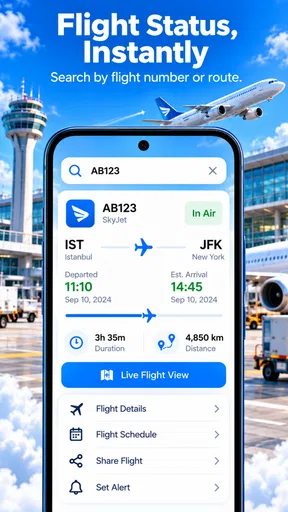
I would search with the flight information already in front of me instead of relying on memory. Flight numbers, airport codes, and dates can be easy to confuse, particularly when two people in a group are travelling on different legs. Before leaving for the airport, I would check the route and status once, then check again closer to departure rather than refreshing continuously. That saves attention and keeps the app in its proper role: a decision aid, not a substitute for every official announcement.
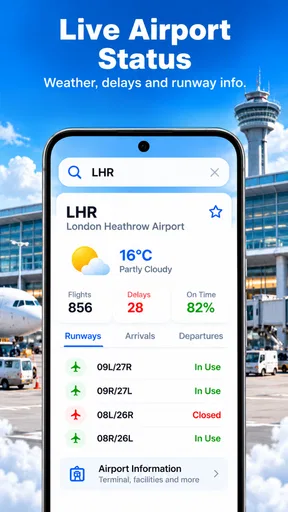
For airport status, I would use the app as an early warning layer and still pay attention to airport signage and airline communication once I am on site. A status view can help me decide whether to start the journey or allow extra time, but it should not be my only source for gate changes, boarding instructions, or security procedures. The practical trade-off is simple: FlyTrack helps me prepare, while the airport and carrier remain the authorities I follow at the terminal.
When I am comparing routes, I would save my conclusions outside the app if I need a long-term trip plan. A route display is excellent for understanding connections and movement, but a complete travel record may require booking references, hotel details, transport reservations, and personal notes. This is one of the clearest ways to avoid asking a focused tracker to behave like an itinerary manager.
Where another category may fit better
FlyTrack is not the right choice for every traveller. If I have already booked a flight and need mobile check-in, a boarding pass, seat management, or direct handling of a disruption, the airline’s own app is usually the better companion. It has a closer connection to the reservation and is the place I would expect to receive carrier-specific instructions. FlyTrack can complement that app, but I would not treat it as a replacement for the airline relationship.
If I am building an entire holiday, a broader travel planner may be more efficient. Someone arranging flights, accommodation, rail tickets, rental cars, and daily activities may prefer one itinerary workspace, even if its flight-tracking view is less focused. In that case, the advantage of FlyTrack’s simplicity may not outweigh the inconvenience of moving between several apps.
Airport-specific apps can also be preferable when the main concern is terminal navigation. They may be more relevant for maps, facilities, security guidance, or local airport services. FlyTrack’s airport status role is useful for checking the condition of a journey, but I would choose a terminal-focused tool when I am already inside a large airport and need help finding a gate or service.
Finally, people who rarely travel by air may not need a dedicated tracker at all. A browser search or a message from the traveller may be enough for an occasional journey. FlyTrack becomes more convincing for people who regularly monitor flights, meet arriving passengers, coordinate family travel, or compare routes before booking.
The cost and commitment of changing your travel routine
The starting price is easy to understand because the app is free. That makes trying it less risky than paying upfront for a specialised tracker. However, FlyTrack includes in-app purchases priced from $8.99 to $59.99 per item. I would therefore explore the free experience first and decide whether any paid option addresses a real need before spending money. A feature is only worth adding if it saves me meaningful time or reduces repeated checking during actual trips.
The more important cost is often attention rather than money. Every additional travel app creates another place to search, another interface to learn, and another source of notifications or information to reconcile. My preferred setup would be to give each app one clear responsibility: FlyTrack for flight movement, the airline app for passenger actions, and an airport or itinerary tool only when its specialised information is needed.
Switching to FlyTrack is relatively straightforward if I currently use ordinary web searches for flight progress. I would install it before travelling, try a known route, and see whether the airport and live-flight views answer my usual questions quickly. If I already depend on a comprehensive itinerary app, the switch is less about replacing it and more about deciding whether a dedicated tracker improves the monitoring part of the routine.
The Android requirement is also part of that decision. Devices running Android 7.0 or later can use the app, which covers a wide range of phones. If I am travelling with an older device, I would check compatibility before assuming it can serve as the family’s shared tracker. That small preparation step matters when the app is being used by someone who may not have another phone available.
What I would trust it with, and what I would double-check
I would trust FlyTrack for orientation and routine monitoring: confirming that I am looking at the right route, checking whether a flight appears to be progressing, and deciding when it makes sense to begin a journey to the airport. I would also use it to give a waiting friend a clearer picture of where a flight is in its overall trip.
I would double-check anything that affects a time-critical passenger action. Boarding deadlines, gate assignments, check-in requirements, baggage rules, and last-minute airline instructions belong with the carrier or the airport. This is not a criticism of FlyTrack’s purpose; it is a sensible boundary between an independent tracking tool and an official travel channel.
That distinction also helps avoid overreacting to a brief change in a flight’s displayed progress. A tracker can show useful movement, but the practical meaning of a delay depends on the passenger’s connection, airport procedures, and airline decisions. I would use FlyTrack to notice that something deserves attention, then confirm the consequence through the source responsible for the booking.
My recommendation for different kinds of travellers
I recommend FlyTrack to frequent flyers who want a dedicated way to watch routes without opening a booking platform every time. It is also a good fit for people who regularly meet travellers at airports, coordinate journeys for relatives, or want a global route view before making plans. The free entry point and Everyone rating make it easy to share as a practical household tool.
I recommend it with a companion app for passengers who need the full journey covered. Keep the airline app for check-in and reservation actions, then use FlyTrack for the wider monitoring perspective. That combination is more sensible than forcing one app to handle both official passenger tasks and independent flight observation.
I would skip it if my travel needs are mostly hotels and complete itineraries, or if I only fly once in a long while and a quick web lookup already solves the problem. I would also avoid making it my sole authority for operational decisions at the airport. The app is strongest when it reduces the effort of watching a flight, not when it is asked to manage every detail surrounding one.
After using it as a focused travel companion, my view is positive but deliberately specific. FlyTrack does not need to be the biggest travel app to be useful. Its value comes from putting live flight tracking, airport awareness, and route context close together. If those are the three questions I ask most often, I would keep it installed; if my questions are about bookings, boarding passes, or complete holiday planning, I would choose a more specialised alternative.
For me, that makes the app an easy one to try before a busy trip, especially because it is free to start and works on older Android versions. I would test a familiar route, learn where the airport information sits, and decide whether the focused workflow saves enough time to become part of my routine. Used with realistic expectations, FlyTrack is a helpful flight-monitoring layer rather than an all-purpose travel replacement.
Pros
- Tracks flights in real time with clear status updates.
- Supports airport
- airline
- route
- and flight-number searches.
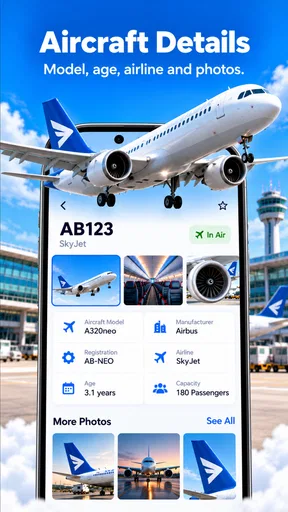
- Useful gate and terminal details help with airport planning.
- Clean interface makes essential information easy to find.
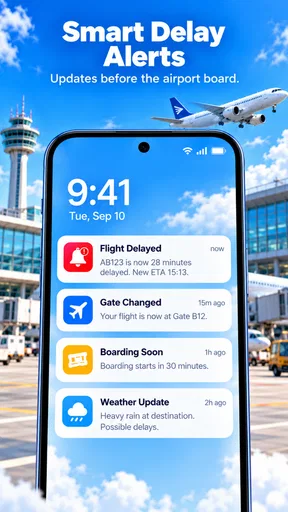
- Flight alerts can help users stay informed about schedule changes.
Cons
- Live tracking accuracy depends on available airline and airport data.
- Some advanced features may require a paid subscription.
- Notifications can arrive late when airline updates are delayed.
- International airport coverage may vary by route and region.
- Frequent travelers may find the app uses noticeable battery and data.
FAQs for FlyTrack - Flight Tracker
What is FlyTrack - Flight Tracker used for?
FlyTrack - Flight Tracker is designed to help travelers monitor flights and stay informed before, during, and after a journey. You can generally use it to search for a flight, check scheduled departure and arrival times, follow status updates, and review airport or route information. It is useful for passengers, people meeting arriving travelers, and anyone who wants a quick overview of a flight’s progress.
Does FlyTrack provide real-time flight status and delay information?
FlyTrack is intended to display current flight information, including changes such as delays, cancellations, gate updates, or altered departure and arrival times when those details are available from its data sources. However, updates may not appear instantly, and accuracy can vary by airline, airport, region, and connection quality. For important travel decisions, always compare the app’s information with official airline or airport announcements.
Can I track a flight without creating an account?
The availability of tracking without registration may depend on the version of FlyTrack and the features enabled on your device. Basic flight searches are often accessible without a full account, while saved flights, alerts, synchronization, or personalized settings may require additional permissions or sign-in. Before downloading, review the app’s current listing and privacy information to confirm which functions are available anonymously.
Does FlyTrack send notifications about flight changes?
FlyTrack may support notifications for selected flights, allowing users to receive updates about schedule changes, delays, cancellations, boarding information, or other status events. To use these alerts reliably, notification permissions must be enabled and the flight usually needs to be saved inside the app. Notifications can still be delayed or incomplete, so they should supplement—not replace—messages from the airline.
Is FlyTrack - Flight Tracker free to download and use?
FlyTrack’s download and basic flight-tracking availability may be free, but some features could be limited by advertisements, subscriptions, in-app purchases, or regional restrictions. Premium options may include an ad-free experience, extended tracking, advanced alerts, or additional airport and route details. Check the Google Play Store or Apple App Store listing for the latest pricing, supported devices, and purchase terms before installing.


